Reolink CX810 in Home Assistant — License Plate Reading and TV Snapshots
How I got a Reolink CX810 4K PoE camera to read license plates with AI and push a snapshot straight to the TV when someone pulls into the driveway.
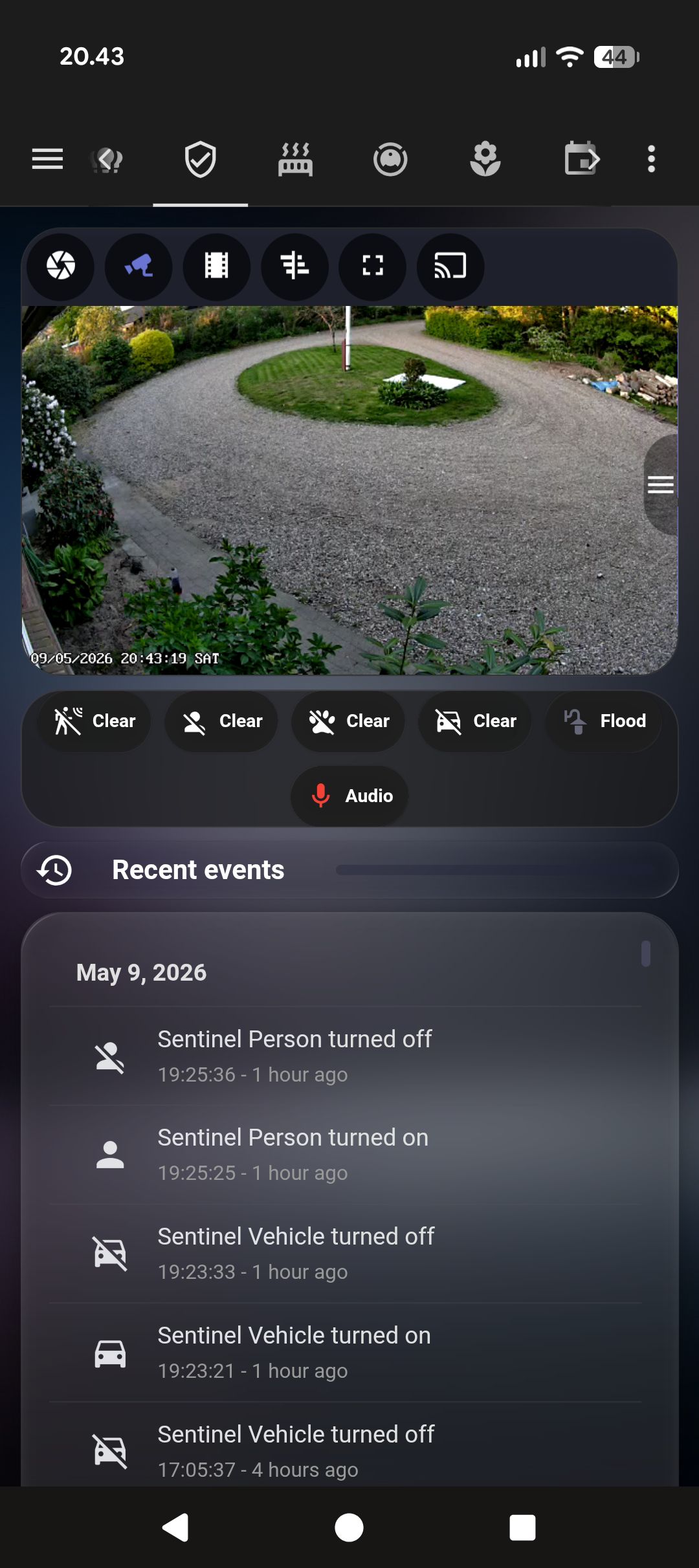
We never installed a doorbell camera. The Reolink CX810 pointed at the driveway ended up doing more than any doorbell would have — without the subscription, without the app, and with the TV as the notification screen instead of a phone I might not be looking at.
The camera
The CX810 is a 4K 8MP PoE camera. It runs on a dedicated VLAN, talks to HA over the local network, and shows up as camera.sentinel_clear (full resolution) and camera.sentinel_fluent (lower res, faster). The onboard AI chip gives you binary sensors directly:
binary_sensor.sentinel_vehicle
binary_sensor.sentinel_person
binary_sensor.sentinel_motion
Vehicle and person detection from the camera’s own chip are good enough to filter out the obvious false positives — birds, shadows, the cat. Not perfect, but it’s the right starting point.
License plate reading
When a vehicle triggers the sensor, the automation waits 2 seconds — long enough for the car to pull in and a plate to be visible — then grabs a snapshot and sends it to llmvision.image_analyzer with a very short, specific prompt:
message: >
  Look at this surveillance camera image. Read the vehicle license plate number.
  Reply with ONLY the plate number in capital letters (example: 'AB12345').
  If no plate is visible or readable, reply with only the word 'none'.
max_tokens: 15
temperature: 0.1
15 tokens. Low temperature. No room to ramble. Either it returns a plate or it returns “none”.
If the first read comes back empty, the automation waits another 3 seconds and tries again with a fresh snapshot. Two attempts is enough — if the plate isn’t readable after two tries it’s because the angle is bad or it’s dark, not because the model needed more time.
The best result from either attempt wins. It gets stored in input_text.last_5_plates as a rolling JSON list — a simple log of the last five plates that entered the driveway, with timestamps.
What lands on the TV
One app makes this work on the TV side: Notifications for Android TV (free, Google Play). It runs a small HTTP server on port 7676 that HA’s “Notifications for Android TV / Fire TV” integration posts to. No account, no cloud — the notification goes directly from HA to the TV over the local network. Install the app, note the TV’s IP, add the integration in HA under Settings → Devices & Services, and you get a notify.android_tv_* service.
notify.android_tv_fire_tv_192_168_1_40 sends to the TV directly:
action: notify.android_tv_fire_tv_192_168_1_40
data:
  message: "🚗 Bil registreret! Nummerplade: {{ plate_text }}"
  data:
    image: "http://192.168.x.x:8123/local/sentinel_latest.jpg?t={{ now().timestamp() | int }}"
    interrupt: 1
The interrupt: 1 flag forces the notification to appear even if the TV is busy. The image shows up in the corner with the plate text underneath. You’re watching something, a car pulls in, a thumbnail appears in the corner with the plate — you glance at it and either ignore it or grab your phone. No picking up the phone to check, no opening an app.
Phones get the same snapshot via notify.alle_enheder, with a timestamp-busted URL so it doesn’t serve a cached image from the previous visit.
Person detection gets a simpler version: no ALPR attempt, just a snapshot notification. It’s enough to see whether it’s the postman or someone you don’t recognise.
What I cut
I tried a version that announced the plate by text-to-speech on the TV speaker. It worked but felt like a airport departure board. The visual notification is quieter — you see it if you’re looking, miss it if you’re not, and the TV doesn’t interrupt itself to read a number plate aloud at you.
What actually broke first
The first week the TV notification ran, it stopped working. Not visibly — the automation completed, no errors in the trace, but the TV showed text only with no image, and the phones got nothing at all.
The problem was image size. The nfandroidtv integration sends a snapshot to the TV app via HTTP POST to port 7676. I was using camera.sentinel_clear — the full-resolution feed — which produces frames around 1.9 MB. The TV app took more than 5 seconds to process that. HA hit a ReadTimeout, aborted the script step mid-run, and the phone notifications never fired.
On top of that, the integration had landed in a failed_unload state — most likely from a HA restart that happened during one of those timeouts. The symptom was notify.android_tv disappearing from the available services for stretches, then coming back. The integration showed as loaded, but HA hadn’t cleanly registered its services.
Three fixes, in order:
1. Delete and recreate the integration. Settings → Devices & Services → find “Notifications for Android TV / Fire TV” → delete → add it back. This clears the failed_unload state and re-registers notify.android_tv cleanly.
2. Switch the snapshot source. Changed both snapshot steps in the automation from camera.sentinel_clear to camera.sentinel_fluent. The fluent stream produces 50–200 KB frames instead of 1.9 MB — small enough that the TV app processes it in well under a second. Image quality is still more than enough to identify a person or read a plate in decent light.
3. Add continue_on_error: true on the TV notify step:
- action: notify.android_tv_fire_tv_192_168_1_40
  continue_on_error: true
  data:
    message: "🚗 {{ plate_text }}"
    data:
      image: "http://192.168.x.x:8123/local/sentinel_latest.jpg?t={{ now().timestamp() | int }}"
      interrupt: 1
If the TV times out or the integration drops again, the phone notifications still go out. The TV is a nice-to-have. Phones are not optional.
All three together solved it. The TV now shows the snapshot within about a second, and in cases where the TV is off or the integration hiccups, phones always get the notification regardless.
Update, May 2026: The plate reading came out. Night accuracy wasn’t reliable enough — plates at steep angles or in rain returned “none” more often than a real result, and two LLM Vision calls per vehicle event added latency that made the notification feel slow. The current setup skips ALPR entirely: vehicle or person trigger → fluent snapshot → TV and phones. The rolling plate log is gone. The camera, the TV integration, and the continue_on_error approach all stayed. The AI layer didn’t.