WiZ Lights That React to the TV — Cinema Mode Without the Button
The living room lights dim when a movie starts, brighten on pause and restore when the TV turns off — no scene button, no voice command.
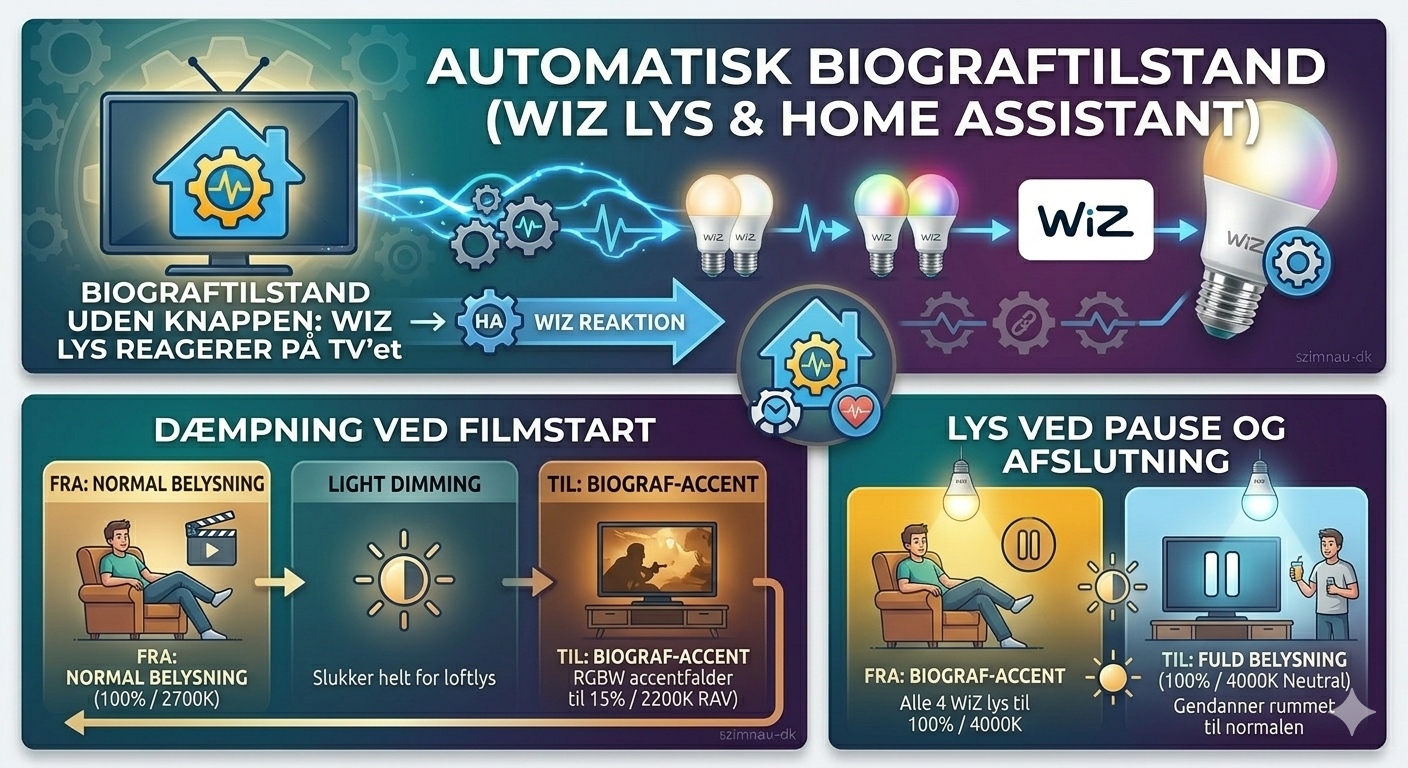
Every TV remote has a button you never use. On mine it was the “scene” button that was supposed to dim the lights for movie mode. The problem wasn’t the button — it was remembering to press it, and then remembering to press it again when you paused to get a drink, and again when the film ended.
The automation does it instead. The TV plays, the lights dim. The TV pauses, the lights come back up. The TV turns off, the lights restore. Nothing to remember, nothing to press.
The setup
Four WiZ lights in the living room:
- Two ceiling lights (
wiz_tunable_white_601970,wiz_tunable_white_60421e) — the main overhead lights - Two accent/corner lights (
wiz_rgbw_tunable_414776,wiz_rgbw_tunable_44a4a4) — RGBW, can go down to 2200K
The distinction between the two types matters for what happens when the film starts.
What triggers it
The TV entity (media_player.tv_stuen) comes from the Android TV integration — built into HA, add it under Integrations with the TV’s IP address.
trigger:
  - entity_id: media_player.tv_stuen
    to: playing
  - entity_id: media_player.tv_stuen
    to: paused
  - entity_id: media_player.tv_stuen
    to: [idle, off]
condition:
  - condition: time
    after: "18:00:00"
The time condition is the key detail. There’s no point dimming the lights at noon — the sun is doing more than any ceiling lamp anyway, and a dim living room in the middle of the day just looks broken. After 18:00 it starts to matter.
Mode is restart. If you pause and immediately press play again, the pause action is cancelled before it finishes. Without restart mode you’d get a flash of full brightness between plays.
When the film starts
sequence:
  - action: light.turn_off
    target:
      entity_id:
        - light.wiz_tunable_white_601970
        - light.wiz_tunable_white_60421e
  - action: light.turn_on
    data:
      brightness_pct: 15
      color_temp_kelvin: 2200
    target:
      entity_id:
        - light.wiz_rgbw_tunable_414776
        - light.wiz_rgbw_tunable_44a4a4
The ceiling lights go off entirely — not dimmed, off. Overhead light during a film creates glare on the screen regardless of how low you set it. The accent lights drop to 15% at 2200K, which is a warm amber. Enough to see the room, not enough to wash out the picture.
When you pause
sequence:
  - action: light.turn_on
    data:
      brightness_pct: 100
      color_temp_kelvin: 4000
    target:
      entity_id:
        - light.wiz_tunable_white_601970
        - light.wiz_tunable_white_60421e
        - light.wiz_rgbw_tunable_414776
        - light.wiz_rgbw_tunable_44a4a4
All four lights to 100%, 4000K. Not the warm 2700K I’d use normally — 4000K is slightly cooler and more neutral, which reads as “you can see properly again” rather than cosy evening light. The transition happens the moment you press pause, which is when you actually need the light — not five seconds later.
The same sequence runs when the TV turns off completely. Whether you paused for a moment or finished watching, the room comes back to normal.
Why no sunset trigger
I tried a version that also dimmed at sunset regardless of the TV. It created a problem: coming home in the evening to a dark living room when nobody had been watching anything. The TV state is a better trigger than the sun because it’s tied to what’s actually happening in the room rather than what time it is outside.
The 18:00 condition handles the edge case where someone starts a film at 4pm in winter and the room is dark enough that the dim matters. Before that, the automation simply doesn’t fire.