Running Sonos and Google Nest Speakers as One System in Home Assistant
Unifying a Sonos speaker with four Google Nest Audio speakers via Home Assistant scripts — no third-party bridges, no subscription.
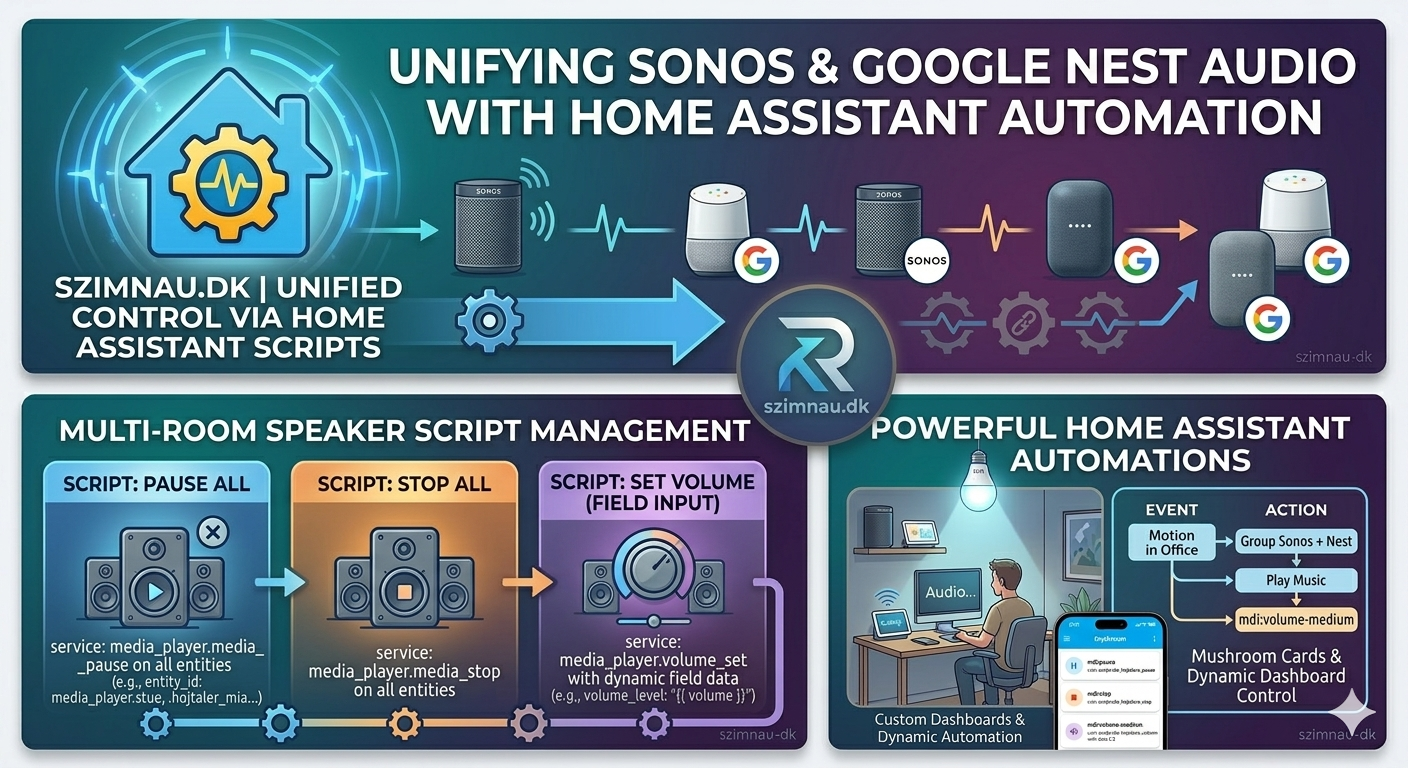
Sonos and Google are competitors. Their apps don’t talk to each other. If you have a Sonos speaker in the living room and Google Nest Audio speakers in the bedrooms and kitchen, you have two separate music systems with no shared control.
I ran like that for about two years before it became annoying enough to fix.
The fix wasn’t a bridge app or a subscription service. It was Home Assistant.
The Hardware I’m Working With
Living room: a Sonos speaker (media_player.stue).
Everything else is Google Nest Audio or Google Home:
- Bedroom (
media_player.hojtaler) - Office (
media_player.hojtaler_mia) - Kitchen (
media_player.hojtaler_kokken) - Workshop (
media_player.vaerksted)
Five speakers, two brands, zero native cross-compatibility.
How HA Integrates Both
The Sonos integration in HA is built-in and excellent. It finds the speaker automatically over the local network — no Sonos cloud dependency for basic playback control, grouping, or volume.
Google speakers integrate through the Google Home integration (built-in, or the older Cast integration if you prefer — both are in HA’s integration list). Either way you get media_player entities with standard play/pause/volume services.
Because HA maps everything to the same media_player domain, you can control a Sonos and a Google speaker with identical service calls:
service: media_player.volume_set
data:
  volume_level: 0.3
target:
  entity_id:
    - media_player.stue
    - media_player.hojtaler
That’s it. HA doesn’t care that they’re different brands.
The Three Scripts
I built three scripts that treat all five speakers as a single system:
Pause all:
alias: alle_hojtalere_pause
sequence:
  - service: media_player.media_pause
    target:
      entity_id:
        - media_player.stue
        - media_player.hojtaler
        - media_player.hojtaler_mia
        - media_player.hojtaler_kokken
        - media_player.vaerksted
Stop all:
alias: alle_hojtalere_stop
sequence:
  - service: media_player.media_stop
    target:
      entity_id:
        - media_player.stue
        - media_player.hojtaler
        - media_player.hojtaler_mia
        - media_player.hojtaler_kokken
        - media_player.vaerksted
Set volume across all (takes a level as a field input):
alias: alle_hojtalere_volumen
fields:
  volume:
    description: Volume level (0.0–1.0)
    default: 0.3
sequence:
  - service: media_player.volume_set
    data:
      volume_level: "{{ volume }}"
    target:
      entity_id:
        - media_player.stue
        - media_player.hojtaler
        - media_player.hojtaler_mia
        - media_player.hojtaler_kokken
        - media_player.vaerksted
I call these from automations, dashboard buttons, and voice commands. The volume script is especially useful at night — one voice command drops everything to 15% without hunting for individual speaker controls in three different apps.
Practical Automations
Leaving home — when the last person leaves, pause everything that’s playing:
alias: Leaving — pause all speakers
trigger:
  - platform: state
    entity_id: group.family
    to: not_home
condition:
  - condition: template
    value_template: >
      {{ states.media_player | selectattr('state', 'eq', 'playing') | list | count > 0 }}
action:
  - service: script.alle_hojtalere_pause
TV turns on — automatically lower the kitchen speaker when the TV starts, so they don’t compete:
alias: TV on — lower kitchen speaker
trigger:
  - platform: state
    entity_id: media_player.samsung_tv
    to: "on"
action:
  - service: media_player.volume_set
    data:
      volume_level: 0.15
    target:
      entity_id: media_player.hojtaler_kokken
Dashboard Control
I put a custom:mushroom-chips-card (HACS, Mushroom suite) in the main Hjem view for quick one-tap control:
type: custom:mushroom-chips-card
chips:
  - type: action
    icon: mdi:pause
    tap_action:
      action: call-service
      service: script.alle_hojtalere_pause
  - type: action
    icon: mdi:stop
    tap_action:
      action: call-service
      service: script.alle_hojtalere_stop
  - type: action
    icon: mdi:volume-medium
    tap_action:
      action: call-service
      service: script.alle_hojtalere_volumen
      data:
        volume: 0.2
Three chips, all speakers handled. It lives next to the WiZ lighting controls and has become one of the most-used parts of the dashboard.
What HA Doesn’t Solve
Native grouping between Sonos and Google is still impossible through HA. You can’t send audio from the Sonos to a Google speaker or vice versa — they use different streaming protocols (RAAT vs Cast). HA can control them simultaneously but it cannot synchronize audio playback between the two brands.
For synchronized music across the whole house I still use either Sonos alone (via Sonos grouping) or Google alone (via Cast). The HA scripts handle control, not streaming.
The other gap is TTS. HA’s TTS engine can send to any media_player, which sounds useful. In practice, TTS interrupts whatever’s playing, delivers the message, then doesn’t resume. For Sonos there’s a workaround using the tts.speak action with the announce option. For Google speakers there isn’t a clean equivalent yet. I’ve settled on routing TTS notifications only to rooms where music isn’t usually playing.
Despite those limitations, having five speakers from two manufacturers under one control layer is genuinely useful. The two-app juggling act was quietly annoying every single day, and now it’s just gone.