Nightly Home Assistant Health Checks with GitHub Actions
A nightly CI pipeline runs 22 tests against my live Home Assistant setup and opens a GitHub issue when something breaks — before I notice.
The dishwasher notification worked perfectly for months. Then one day it didn’t. The notify.android_tv service had silently disappeared after a Home Assistant restart, and I only found out when I was standing in the kitchen waiting for an alert that never came.
That was the last time I found out about a broken integration by accidentally needing it.
Why I built nightly tests for Home Assistant
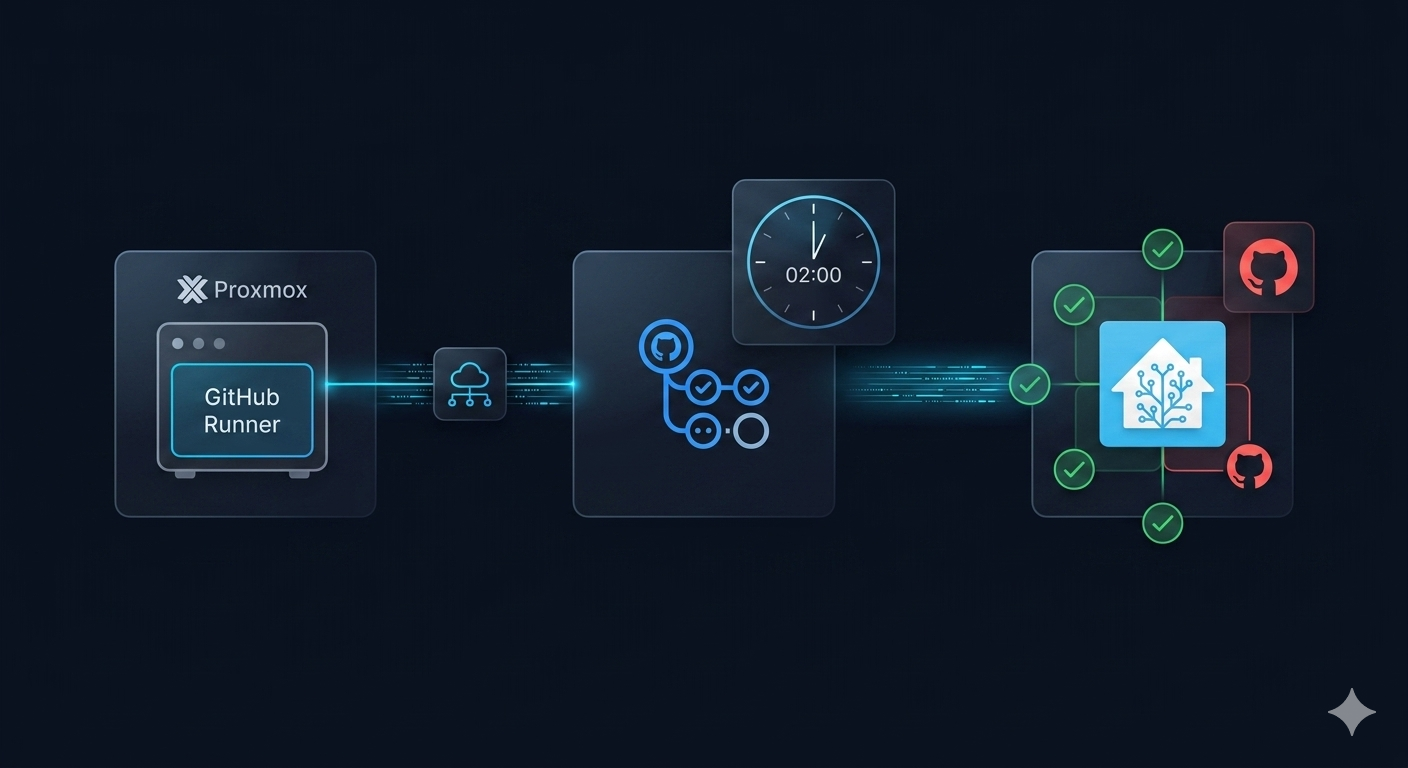
Every night at 02:00, a script runs all my Home Assistant patterns through a test suite and checks that everything still works. If anything fails, a GitHub issue opens automatically with the exact error and a list of likely causes. By morning I know what broke and roughly why.
The whole thing runs on GitHub Actions. The tests are plain Node.js. There are no third-party monitoring services, no cloud subscriptions, no extra dashboards to check.
Why it needs a self-hosted runner
GitHub’s cloud runners can’t reach a Home Assistant instance on a local network. The tests call the HA REST API and WebSocket directly, so the runner has to be on the same network as HA.
The solution: a lightweight Linux container on the Proxmox host that already runs HA. One extra LXC container — Debian 12, 1 vCPU, 512 MB RAM — registered as a self-hosted GitHub Actions runner. It starts automatically with Proxmox and costs essentially nothing in resources.
The runner gets a label (home-network) so the workflow only ever runs on hardware that can actually reach HA:
jobs:
  ha-tests:
    runs-on: [self-hosted, home-network]
    timeout-minutes: 5
Setting up the Proxmox LXC runner
The runner lives in a dedicated LXC container on the same Proxmox host as Home Assistant. Create it through the Proxmox UI: Create CT → Debian 12 template, 1 vCPU, 512 MB RAM, bridged network (vmbr0). Start the container, then open its console.
Install Node.js:
curl -fsSL https://deb.nodesource.com/setup_22.x | sudo -E bash -
sudo apt-get install -y nodejs
Install the GitHub Actions runner. Go to your repository → Settings → Actions → Runners → New self-hosted runner and copy the download and configuration commands GitHub generates. The configuration step is where you set the runner name and labels:
./config.sh \
  --url https://github.com/YOUR_USER/YOUR_REPO \
  --token YOUR_TOKEN \
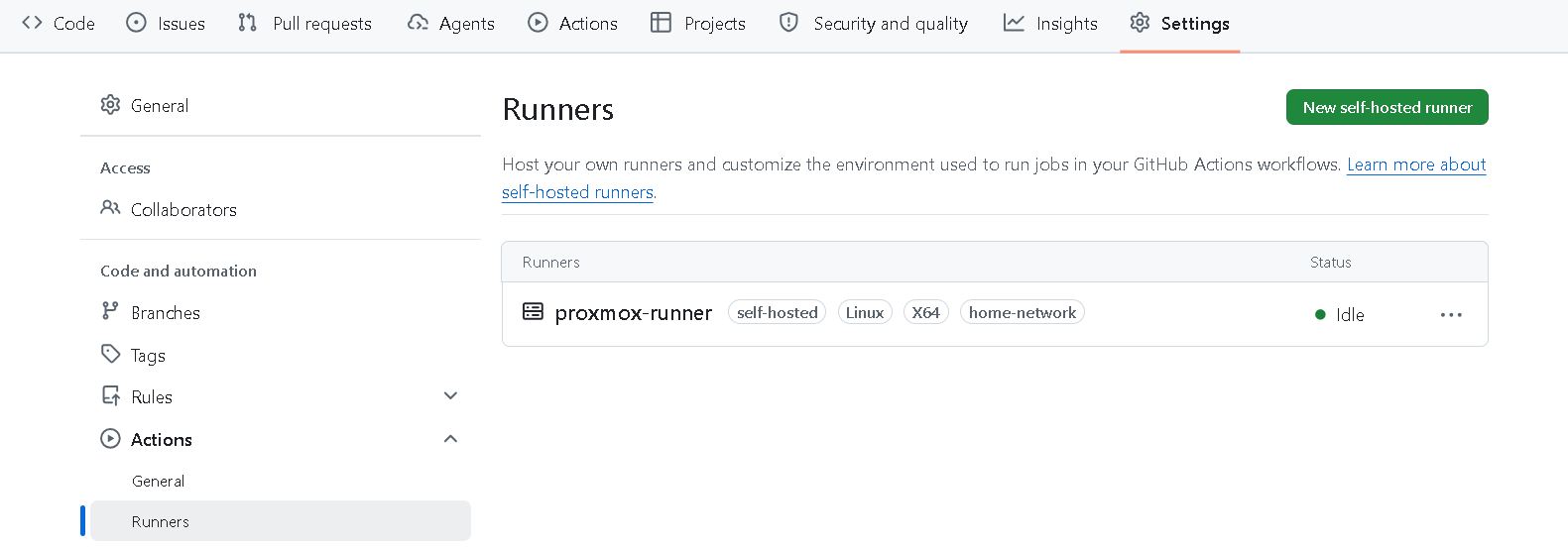
  --name proxmox-runner \
  --labels home-network \
  --unattended
The home-network label is what ties this runner to the workflow’s runs-on: [self-hosted, home-network]. Without it, GitHub won’t route the job to this machine.
Finally, install and start the runner as a systemd service so it survives reboots:
sudo ./svc.sh install
sudo ./svc.sh start
When the runner is registered and idle, it appears under Settings → Actions → Runners in the repository:
Credentials: the right way
The tests need a long-lived HA token. The correct approach is to store it as a GitHub Actions secret — never hardcode it in the repository.
In HA: Profile → Long-Lived Access Tokens → Create token
In GitHub: Repository → Settings → Secrets and variables → Actions → New repository secret
Name it HA_TOKEN. The workflow injects it as an environment variable:
env:
  HA_URL: http://homeassistant.local:8123
  HA_TOKEN: ${{ secrets.HA_TOKEN }}
The test helper reads both from the environment:
const HA_URL = process.env.HA_URL;
const HA_TOKEN = process.env.HA_TOKEN;
if (!HA_URL || !HA_TOKEN) throw new Error('HA_URL and HA_TOKEN env vars required');
Repository structure
One workflow file, test files grouped under tests/ha/, and a shared helper for all HA API calls:
.
├── .github/
│   └── workflows/
│       └── ha-nightly.yml
├── tests/
│   └── ha/
│       ├── smoke.test.mjs
│       ├── notifications.test.mjs
│       ├── automations.test.mjs
│       ├── integrations.test.mjs
│       └── custom-cards.test.mjs
├── lib/
│   └── ha-client.mjs
└── package.json
package.json only needs "type": "module" — no test framework dependency, since Node’s built-in node:test handles everything.
Scheduling the nightly test run with GitHub Actions
on:
  schedule:
    - cron: '0 1 * * *'   # 02:00 Danish time (UTC+1)
  workflow_dispatch:        # manual trigger available any time
workflow_dispatch means I can also trigger it manually from the GitHub Actions tab when I want to verify something after making changes.
What the 22 Home Assistant tests cover
The test suite uses Node’s built-in node:test runner — no Jest, no Mocha, no extra dependencies. Each test file covers one area.
Smoke test — is HA even responding?
test('HA API is reachable and running', async () => {
  const result = await haGet('/api/');
  assert.equal(result.message, 'API running.');
});
Simple, but essential. If HA is down or the token expired, everything else fails here first with a clear message.
Notification services — do the phone and tablet services actually exist?
test('notify.mobile_app_pixel_10 service exists', async () => {
  const services = await haGet('/api/services');
  const notifyDomain = services.find(s => s.domain === 'notify');
  assert.ok('mobile_app_pixel_10' in notifyDomain.services);
});
This catches the case where the Companion app was reinstalled, the device name changed, or the integration dropped. The service can disappear without any visible error in HA.
Automations — are any broken or accidentally disabled?
test('no automation is unavailable', async () => {
  const states = await haGet('/api/states');
  const broken = states.filter(
    s => s.entity_id.startsWith('automation.') && s.state === 'unavailable'
  );
  assert.deepEqual(broken.map(s => s.entity_id), []);
});
There are also specific tests for EV charging automations and mower scheduling — checking not just that they exist but that they’re enabled. An automation that’s been accidentally toggled off is functionally broken even if HA shows it as healthy.
Integration-specific checks — does the camera see what it should? Are all 5 Tado climate zones present? Is the Roborock reachable? Each integration gets its own test that verifies the right entities exist and aren’t unavailable.
The custom-cards test — the clever one
This is the most useful test in the suite, and the one I’m most glad exists.
Home Assistant validates the YAML structure of your dashboard config, but it does not verify whether the custom card JavaScript is actually installed. If you reference custom:some-card in a dashboard and the HACS component isn’t installed, the browser shows a generic “Configuration error” message. No server log captures it. No HA notification fires. You just see a broken card.
The test fixes this by cross-referencing two things:
- All
custom:*card types used in all dashboards (fetched via WebSocket, walked recursively through the full card tree) - All JavaScript resources registered in Lovelace (also via WebSocket)
test('all custom cards have JS resources registered', async () => {
  const [resources, dashboardPaths] = await Promise.all([
    getLovelaceResources(),
    getAllDashboardPaths(),
  ]);
  const resourceUrls = resources.map(r => r.url ?? '');

  for (const path of dashboardPaths) {
    const config = await getDashboard(path);
    const types = extractCustomTypes(config.views);

    for (const type of types) {
      const fragment = CARD_RESOURCE_MAP[type]; // e.g. 'mushroom', 'apexcharts-card'
      assert.ok(
        resourceUrls.some(url => url.includes(fragment)),
        `${type} — JS resource not registered`
      );
    }
  }
});
The CARD_RESOURCE_MAP maps each card type to the URL fragment its HACS package registers. Mushroom cards all share one JS file (mushroom), so all 15+ mushroom subtypes map to the same fragment.
This has caught real problems: a HA update that reset HACS, a manual reinstall that missed one package, a new card I added to a dashboard and forgot to install the resource for.
What happens when a test fails
The workflow’s last step runs on failure and opens a GitHub issue:
- name: Open issue on failure
  if: failure()
  uses: actions/github-script@v7
  with:
    script: |
      const output = fs.readFileSync('test-output.txt', 'utf8').slice(0, 4000);
      const title = `[HA Health] Test regression — ${today}`;
      // deduplicate: skip if this title already exists
      await github.rest.issues.create({
        title,
        labels: ['ha-regression'],
        body: `## Test Output\n\`\`\`\n${output}\n\`\`\`\n\n## Common Causes\n...`,
      });
The issue includes the exact failing assertion, the date, a link to the full run, a list of common causes (entity unavailable, renamed entity, HA update, expired token), and the command to run the tests locally.
Deduplication prevents the same failure from opening 30 issues over 30 nights before I get around to fixing it.
Running the tests locally
When an issue opens, the fastest path to diagnosis is running the suite locally against the live instance:
npm install
HA_URL=http://homeassistant.local:8123 \
HA_TOKEN=your_token_here \
node --test tests/ha/*.test.mjs
Output is TAP-formatted. Failed tests show the exact assertion that broke and the actual vs. expected value.
What this actually catches
Since setting this up, it has caught:
- The
notify.android_tvservice disappearing after a HA restart (thefailed_unloadissue described in another post) - A mower automation that got disabled when I was editing a different automation and accidentally hit the toggle
- A HACS update that reset the custom card resources, silently breaking three dashboard views
- The Škoda Elroq integration dropping its entities after a HA update changed the integration’s internal naming
None of these would have been obvious until I specifically needed the thing that was broken. Now they’re GitHub issues by 02:05.
Why automated monitoring matters for Home Assistant
Twenty-nine years of infrastructure work means I treat home automation the same way I treat production systems: things break silently, at inconvenient times, and the only way to know before it matters is to check continuously. A nightly test run against a live HA instance is the minimum viable monitoring for a setup you actually depend on.
The full test framework is on GitHub. The concepts are straightforward enough to adapt for any HA setup — even starting with just the smoke test and the automation health check gives you something.