Home Assistant Recorder: Cut Database Growth from 160 MB/day to Under 50 MB
My HA SQLite database hit 963 MB in six days. The exact recorder config that cut daily growth by over 70% — full YAML and the reasoning.
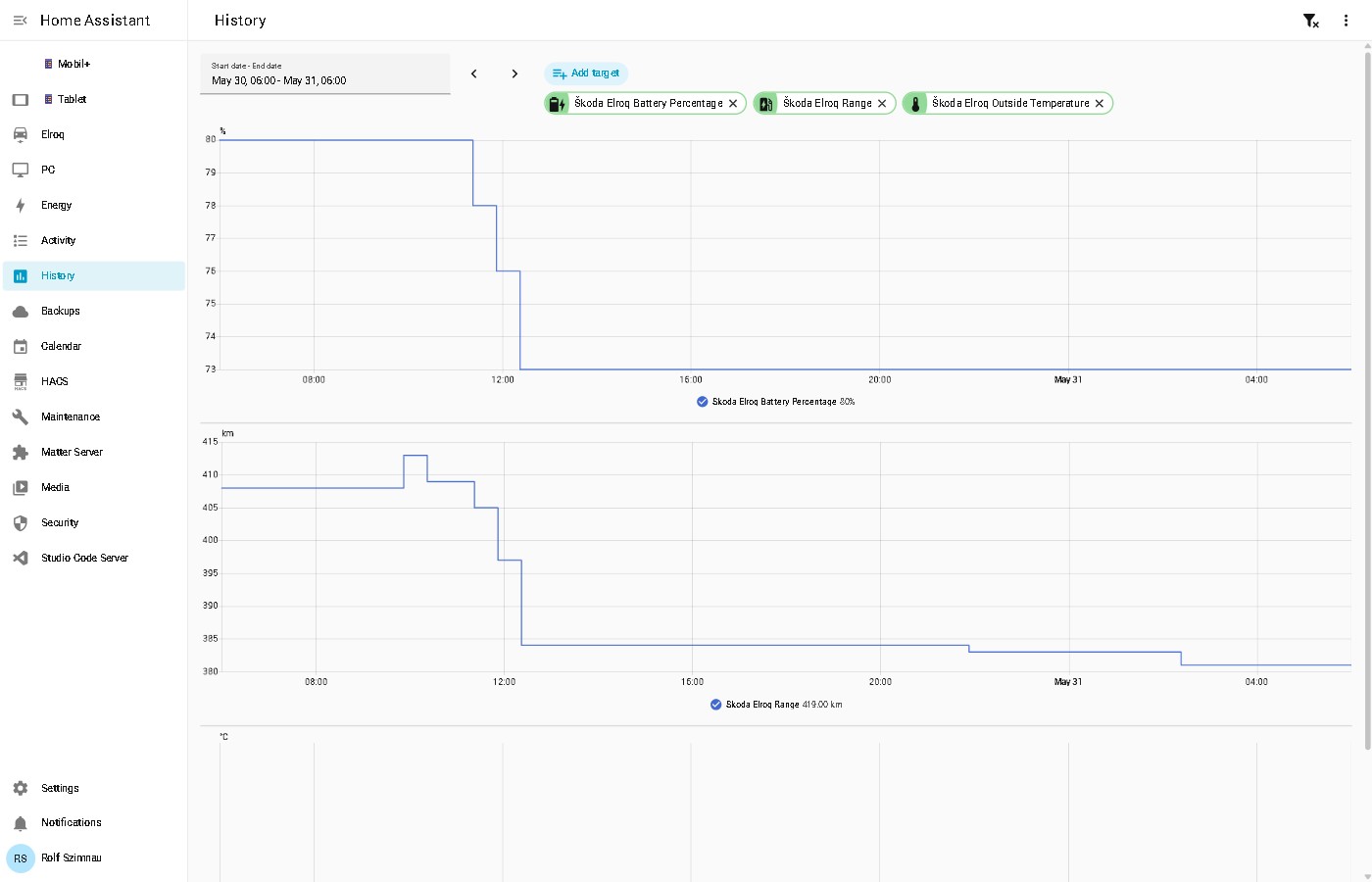
My Home Assistant SQLite database hit 963 MB after just six days — roughly 160 MB per day against a 5-day retention policy. That’s more than three times what a well-tuned setup should produce.
The culprit wasn’t one big thing. It was a dozen Home Assistant integrations quietly logging state changes that nobody ever looks up in the History panel. Here’s the exact configuration that cut growth to under 50 MB per day, and why each exclusion is justified.
Why the Home Assistant recorder database grows silently
Home Assistant’s recorder logs every state change for every entity by default. That’s the right behaviour for sensors you actually care about — temperature, energy usage, presence. But most installations accumulate hundreds of entities that have no historical value:
- Internal integration diagnostics — Tado exposes 22 sensors tracking its own API quota, polling intervals, and rate limit thresholds. These change constantly and are worthless as history.
- Permanently unavailable entities — FlightRadar24 airport sensors that never came online still log state changes (even if the state is just
unavailableover and over). - Update entities — 59 update entities across firmware and HACS. They’re point-in-time data, not time-series.
- Device statistics — UniFi access points log CPU and memory percentages every minute.
The complete recorder configuration
This replaces the recorder: block in configuration.yaml. Edit it via the Studio Code Server add-on:
recorder:
  purge_keep_days: 5
  exclude:
    domains:
      - update                          # 59 entities — point-in-time, not time-series
    entity_globs:
      - sensor.skoda_elroq_*           # EV integration metadata (see include exceptions below)
      - sensor.tado_szimnau_*          # ~22 internal Tado polling diagnostics
      - sensor.flightradar24_airport_* # 12 sensors, all permanently unavailable
      - sensor.u6_lite_*               # UniFi AP stats — CPU/memory change every minute
      - sensor.uap_ac_pro_*            # Same for second access point
      - sensor.air_conditioning_next_* # Tado schedule forecast sensors
    entities:
      - sensor.energi_data_service
      - sensor.pixel_10_last_notification
      - sensor.pixel_10_active_notification_count
      - sensor.pixel_10_media_session
      - sensor.pixel_10_car_speed
      - sensor.pixel_10_car_battery
      - sensor.pixel_10_car_range_remaining
      - sensor.pixel_10_car_odometer
      - sensor.pixel_10_car_charging_status
      - sensor.pixel_10_car_ev_connector_type
      - sensor.pixel_10_car_fuel
      - sensor.pixel_10_car_fuel_type
      - sensor.pixel_10_car_name
      - image.skoda_elroq_main_render_of_vehicle
      - sensor.skoda_elroq_last_operation
      - sensor.skoda_elroq_last_service_event
      - sensor.skoda_elroq_software_version
      - sensor.skoda_elroq_next_inspection_2
  include:
    entities:
      - sensor.skoda_elroq_battery_percentage
      - sensor.skoda_elroq_range
      - sensor.skoda_elroq_charging_state
The include: block overrides the sensor.skoda_elroq_* glob for the three entities I actually track in the History panel — battery percentage, range, and charging state.
Breaking down the exclusions
domains: update is the easiest win. All firmware and HACS update trackers belong nowhere near time-series storage. When you want to know if something is up to date, you look at current state — not last Tuesday’s.
sensor.tado_szimnau_* is the highest-impact glob. The Tado Home Assistant integration exposes detailed internal diagnostics: API calls remaining today, current polling interval, rate limit thresholds, quota reset history. These update on every API cycle — several times an hour across multiple zones — and have zero value as historical data.
sensor.flightradar24_airport_* targets 12 airport statistics sensors that were misconfigured and stuck in unavailable. An entity in a persistent unavailable state still generates recorder writes — the integration keeps probing and each failed update is logged.
sensor.u6_lite_* and sensor.uap_ac_pro_* cover UniFi access point diagnostics. CPU and memory utilization change every minute, producing thousands of data points per week with no actionable value unless you’re actively debugging a network issue.
Individual sensor.pixel_10_car_* entries cover Android Auto vehicle sensors. These are only populated when the phone is actively connected to a car — the rest of the time they’re unavailable, which still generates recorder traffic.
Applying the changes without a restart
After saving configuration.yaml, reload the recorder and compact the database in one step:
Developer Tools → Actions → recorder.purge
  keep_days: 5
  repack: true
The repack: true flag runs SQLite’s VACUUM operation, which physically shrinks the database file. Without it, the file stays at its peak size even after old records are removed — SQLite marks the space as free internally but doesn’t return it to the filesystem until a VACUUM runs.
The new exclusions take effect immediately after the reload. Historical data for excluded entities will be cleared by the normal daily purge over the next five days.
What to keep in history
After seeing a large database, the temptation is to exclude everything. That’s too aggressive. These categories genuinely earn their storage:
- Climate sensors — temperature and humidity over time are useful for diagnosing comfort problems and validating thermostat schedules
- Energy sensors — daily consumption by device makes the Home Assistant Energy dashboard meaningful
- EV battery and range — plotting charge level against outside temperature over winter months reveals the real-world range loss from cold weather on battery packs
- Security state — door/window sensors and presence detection help reconstruct what happened when something goes wrong
The goal isn’t the smallest possible database. It’s a database where every row earns its place.
Related: Nightly Home Assistant health checks with GitHub Actions — automated tests that catch broken integrations before you need them.