MailBoxGuard: LoRa Mailbox Sensor 200 Metres from the House
A PricelessToolkit MailBoxGuard wired to an AliExpress LoRa gateway: instant push when mail arrives, no battery change in over a year.
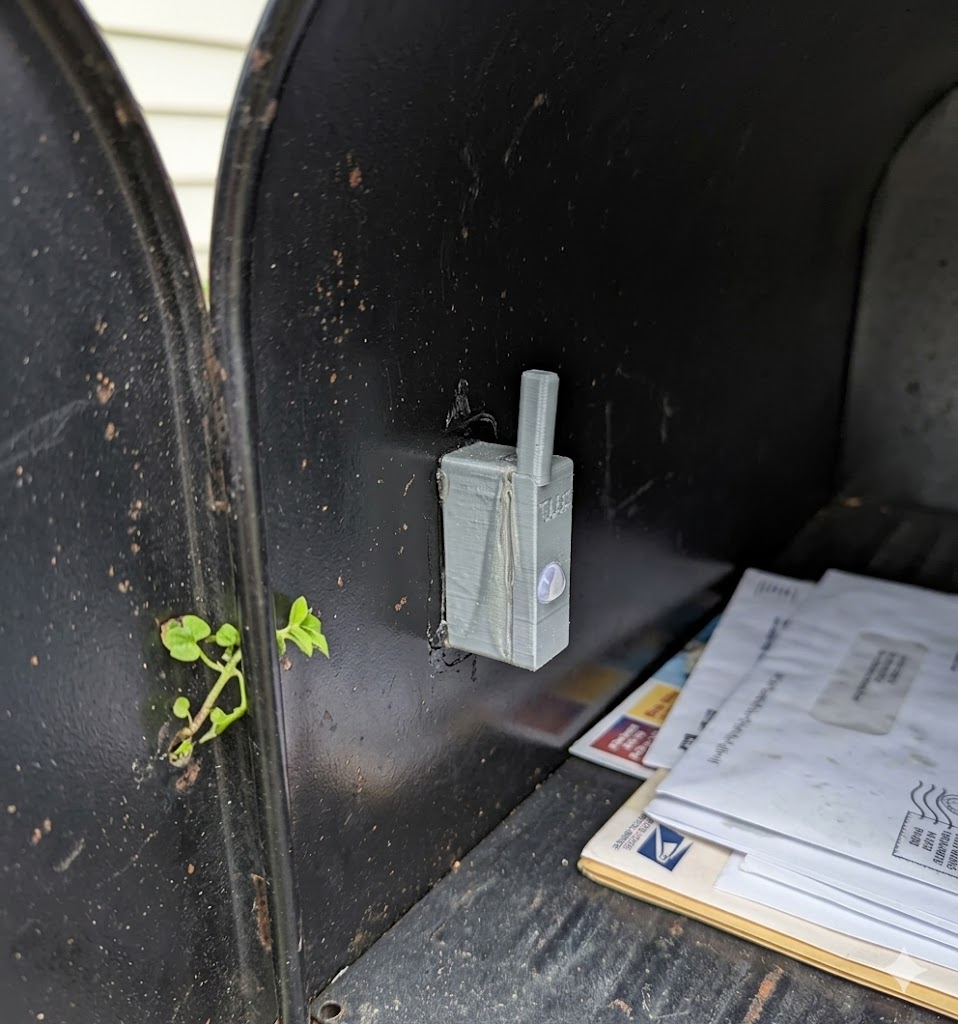
My mailbox is 200 metres from the house, at the end of the driveway. Walking out to check it isn’t a big deal. Walking out in the rain and finding nothing is.
Danish postal delivery is irregular enough that I genuinely can’t predict when something’s there. I needed a sensor. The problem is that 200 metres is too far for Zigbee, Z-Wave, Bluetooth, and most Wi-Fi setups. None of those reach reliably at that distance through trees and a garden wall.
LoRa does.
The Hardware
MailBoxGuard is a complete self-contained unit from PricelessToolkit — not a bare PCB but a finished, weather-resistant enclosure designed to live inside a mailbox. The electronics inside are built around an ATtiny1616 with an onboard reed switch for door detection, an optional AM312 PIR sensor for motion (I disabled this — too many false positives from passing cars), and USB-C charging on a single 14500 Li-Ion cell.
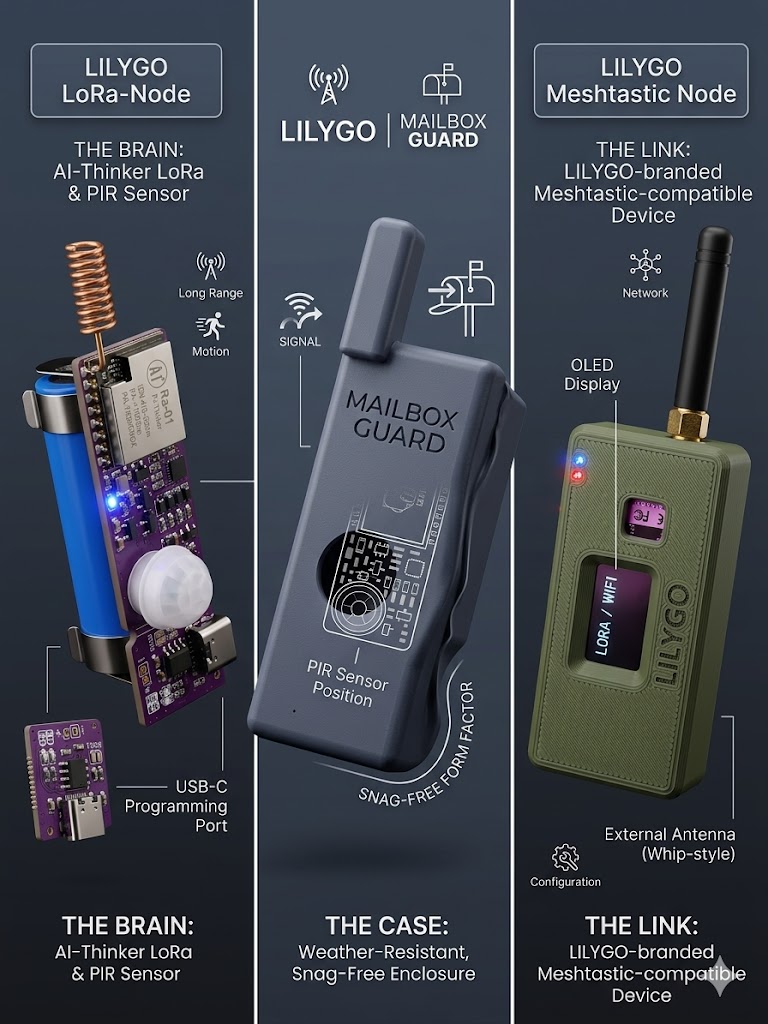
The form factor matters. The snag-free enclosure is shaped specifically to avoid catching on envelopes and parcels. It mounts flush to the mailbox interior and the antenna tucks up so it doesn’t protrude into the mail slot.
For the gateway I bought a LilyGo TTGO LoRa32 board on AliExpress — under €25, running on 868 MHz here in Denmark. I programmed it with the Arduino IDE using firmware from the PricelessToolkit documentation. The setup took an afternoon. Since then I have not touched it.
Why LoRa at 200 Metres
I tried a Zigbee approach first. A Sonoff Zigbee dongle at the house, a mains-powered repeater halfway down the driveway. The reception was inconsistent, and the repeater needed its own power outlet. That’s too much infrastructure for one sensor that just needs to say “door opened.”
LoRa at 868 MHz goes through trees, hedges, and a garden wall with link margin to spare. The TTGO LoRa32 shows RSSI values of roughly -90 to -100 dBm from the mailbox — solid enough that I’ve never had a missed notification in over a year.
Firmware and MQTT
The firmware variant I used sends MQTT messages with Home Assistant autodiscovery payloads. You need an MQTT broker running — the Mosquitto broker add-on handles this: install it from the HA Add-on Store (Settings → Add-ons → search Mosquitto), then add the MQTT integration under Integrations. When the mailbox door opens:
homeassistant/binary_sensor/mailboxguard/state → ONHA picks this up automatically and creates a binary_sensor.mailboxguard entity. No manual YAML config needed on the HA side.
The ATtiny1616 sits in deep sleep. When the reed switch trips it wakes up, transmits the LoRa packet, and goes back to sleep in under a second. That single 65-microampere transmission is the only meaningful power draw. The standby current on reed-switch-only mode is 280 nanoamperes — hence the year-long battery life.
Home Assistant Automation
Door opens → push notification to both phones:
alias: Mailbox — Notify on delivery
trigger:
  - platform: state
    entity_id: binary_sensor.mailboxguard
    from: "off"
    to: "on"
action:
  - service: notify.alle_enheder
    data:
      title: "📬 Post i postkassen"
      message: "Der er kommet post."
notify.alle_enheder is my notify group covering both phones simultaneously. The notification has never fired for a false positive. A reed switch is binary — there’s no ambiguity about whether the door is open or closed.
Installation
The MailBoxGuard mounts to the interior wall of the mailbox with small magnets. The antenna sits upright inside the enclosure and the whole unit is compact enough that it doesn’t interfere with letter delivery.
The TTGO LoRa32 at the house end lives in an IKEA cabinet where I keep all my networking and home automation gear. A short USB cable powers it.
One Thing to Know
PricelessToolkit discontinued the MailBoxGuard in favour of the newer PirBOX-LITE and PirBOX-MAX. Those are the current options if you’re buying new — same concept, improved hardware, more configuration options. If you find a MailBoxGuard in stock, it works exactly as described here.
Mine has been running since before the discontinuation. Rock solid.